GitEcho

Self-hosted backups for GitHub, Azure DevOps and GitLab repositories.
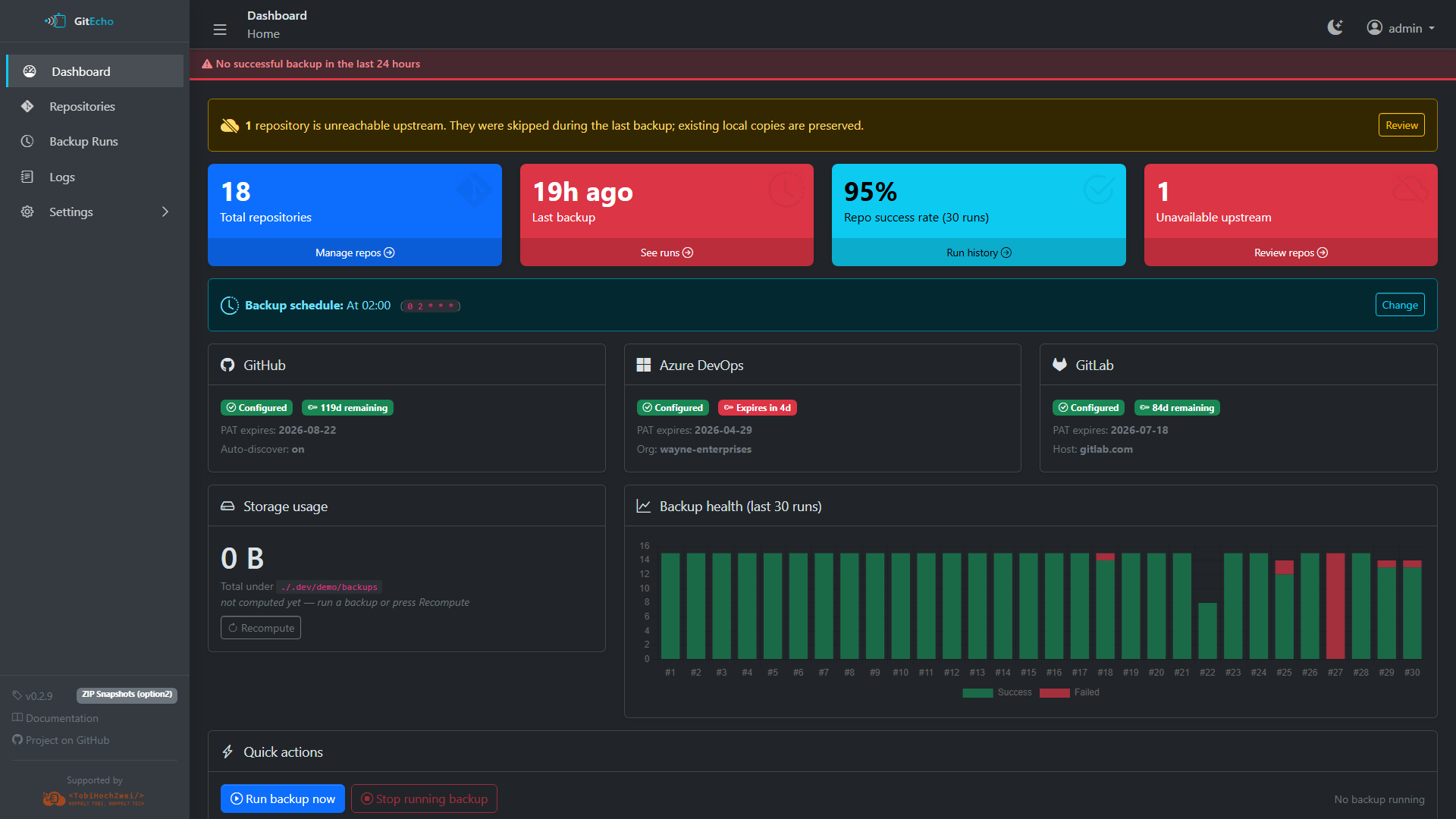
GitEcho is a self-hosted, Docker-based tool that automatically backs up your Git repositories from GitHub, Azure DevOps, and GitLab (including self-hosted instances). It runs on a configurable cron schedule, stores everything in local mount points, and provides a web UI for monitoring and management.
 Key Features
- Multi-provider support — back up repositories from GitHub, Azure DevOps, and GitLab (SaaS or self-hosted) with a single tool
- Three backup modes — choose between git pull (option1), deduplicated ZIP archives (option2), or bare mirror + ZIP snapshots (option3)
- Auto-discovery — automatically finds all repositories accessible to your PATs
- Web UI — AdminLTE 4-based dashboard with real-time status, repository browsing, log viewer, and full settings management
- Email notifications — SMTP alerts for failures, PAT expirations, and optionally successful runs
- Encrypted secrets — PATs and SMTP credentials stored with AES-256-GCM encryption
- Plugin architecture — provider plugins share a common interface, making it easy to add new providers
- Immutable container — all persistent state lives in three mount points (
/data,/config,/backups)
 Quick Start
docker run -d \
  --name gitecho \
  -p 3000:3000 \
  -e MASTER_KEY="$(openssl rand -hex 32)" \
  -v gitecho-data:/data \
  -v gitecho-config:/config \
  -v gitecho-backups:/backups \
  ghcr.io/tobihochzwei/gitecho:latest
Open http://localhost:3000, sign in with admin / admin, and you'll be prompted to set a new password. Then configure your providers under Settings → Providers.
For a full walkthrough, see the Getting Started guide.
 A tour in screenshots
-
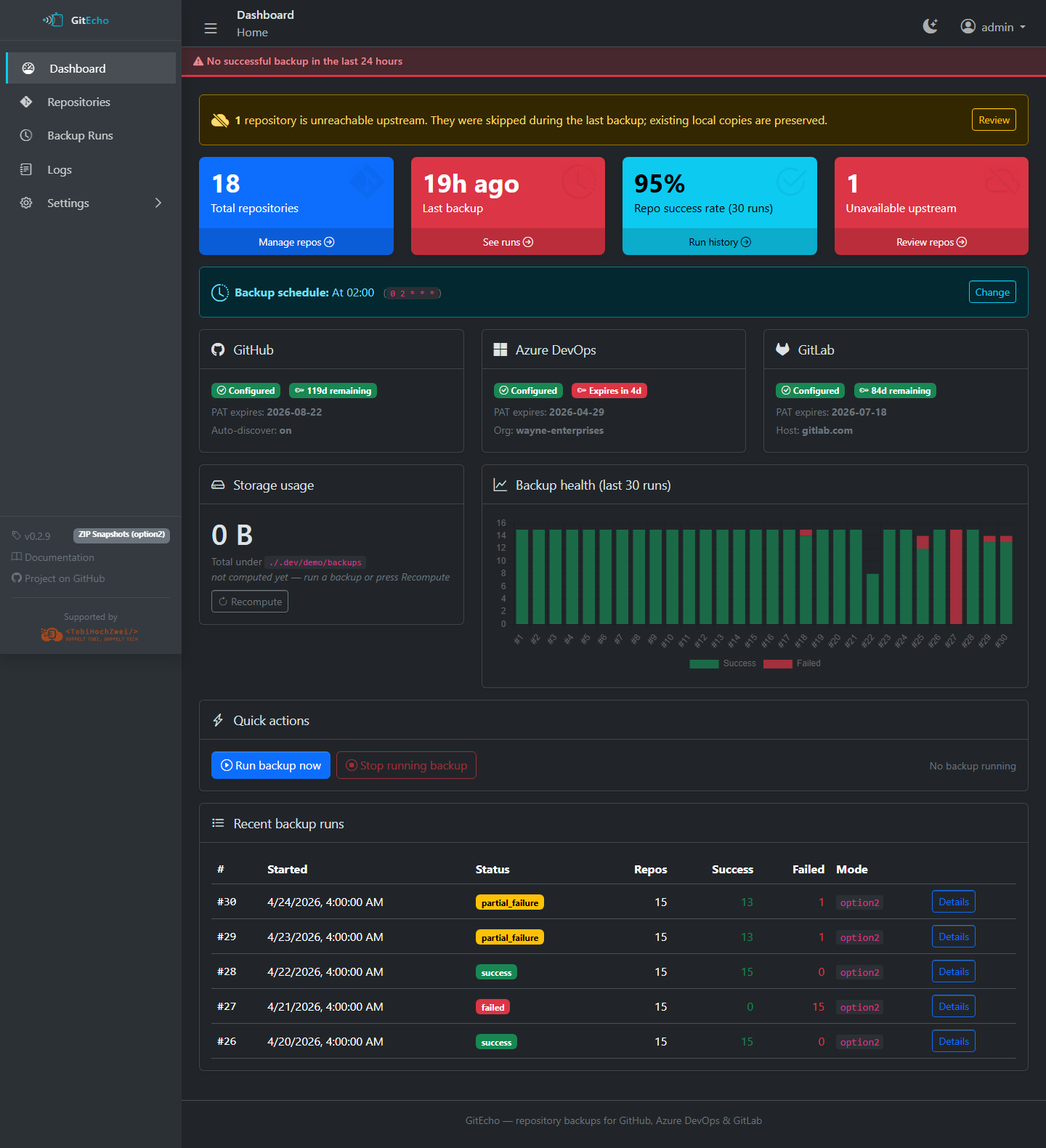
Dashboard
Overall status, KPIs, run history chart, PAT-expiry warnings.
-
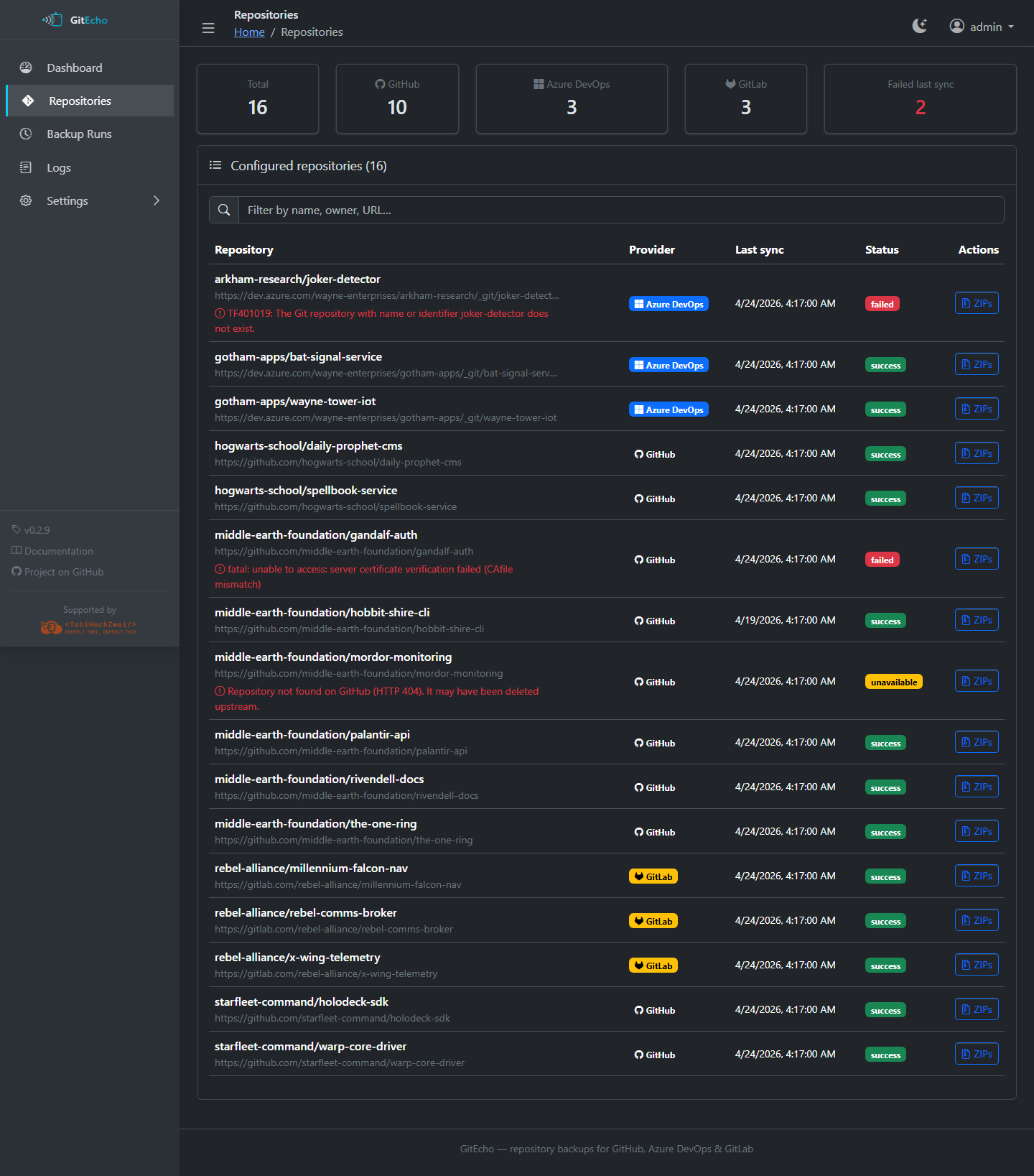
Repositories
Every discovered repo with provider badge, last sync, status.
-
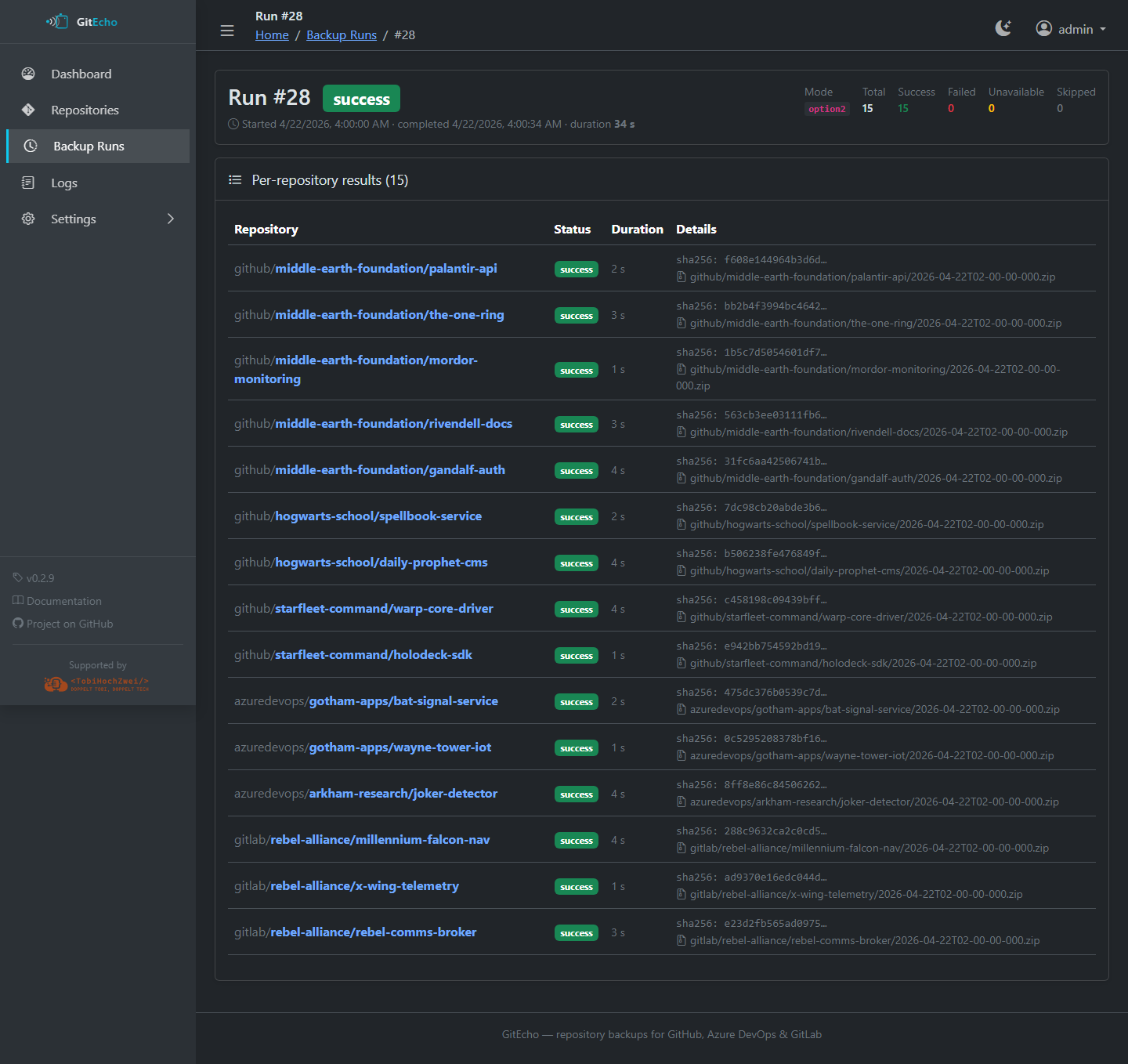
Backup runs
Per-run breakdown — success / failed / unavailable / skipped counts.
-
Logs
JSONL viewer with level/source filters, search, download.
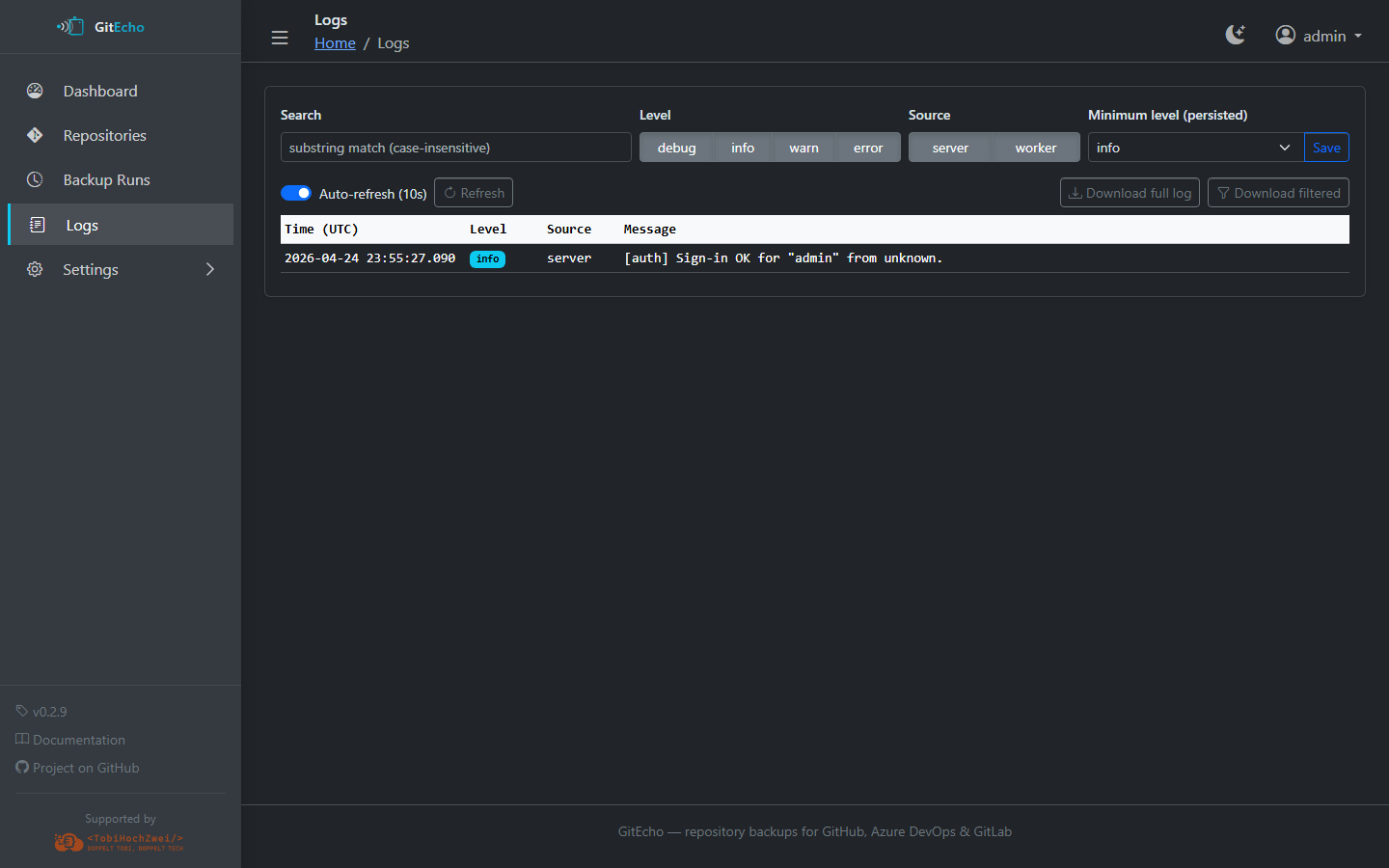
Screenshots are taken from a fictional demo dataset (Middle-earth, Hogwarts, Starfleet, Wayne Enterprises, Rebel Alliance) seeded by
npm run docs:demo. None of the repositories are real.
 Architecture
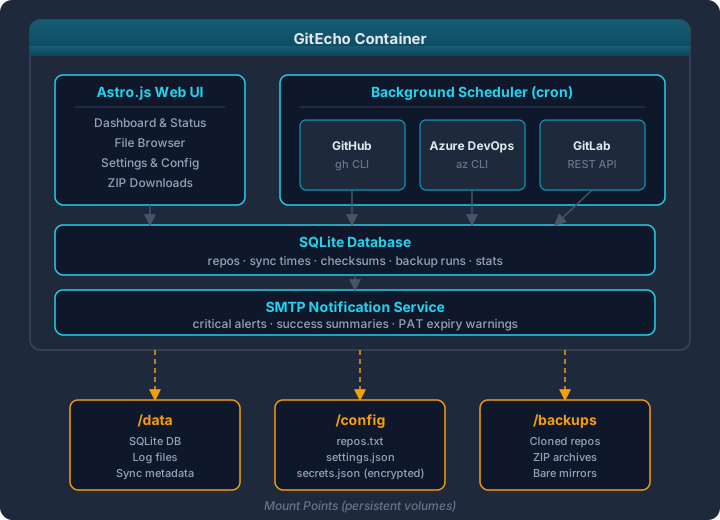
 Documentation Overview
| Section | Description |
|---|---|
| Getting Started | Installation and first-run walkthrough |
| Configuration | Environment variables, Settings UI, and repos.txt |
| Backup Modes | Detailed comparison of option1, option2, and option3 |
| Providers | GitHub, Azure DevOps, and GitLab setup |
| Deployment | Docker Run, Docker Compose, reverse proxy, upgrading |
| Web UI | Dashboard, repository browser, logs, and settings pages |
| Security | Authentication, encryption, and hardening |
| Development | Contributing, architecture, and database migrations |
| Troubleshooting | Common issues and solutions |
 License
GitEcho is licensed under the MIT License.
Supported by
