Security
GitEcho takes security seriously. This page covers authentication, encryption, and best practices for hardening your deployment.
Authentication
- Default credentials are
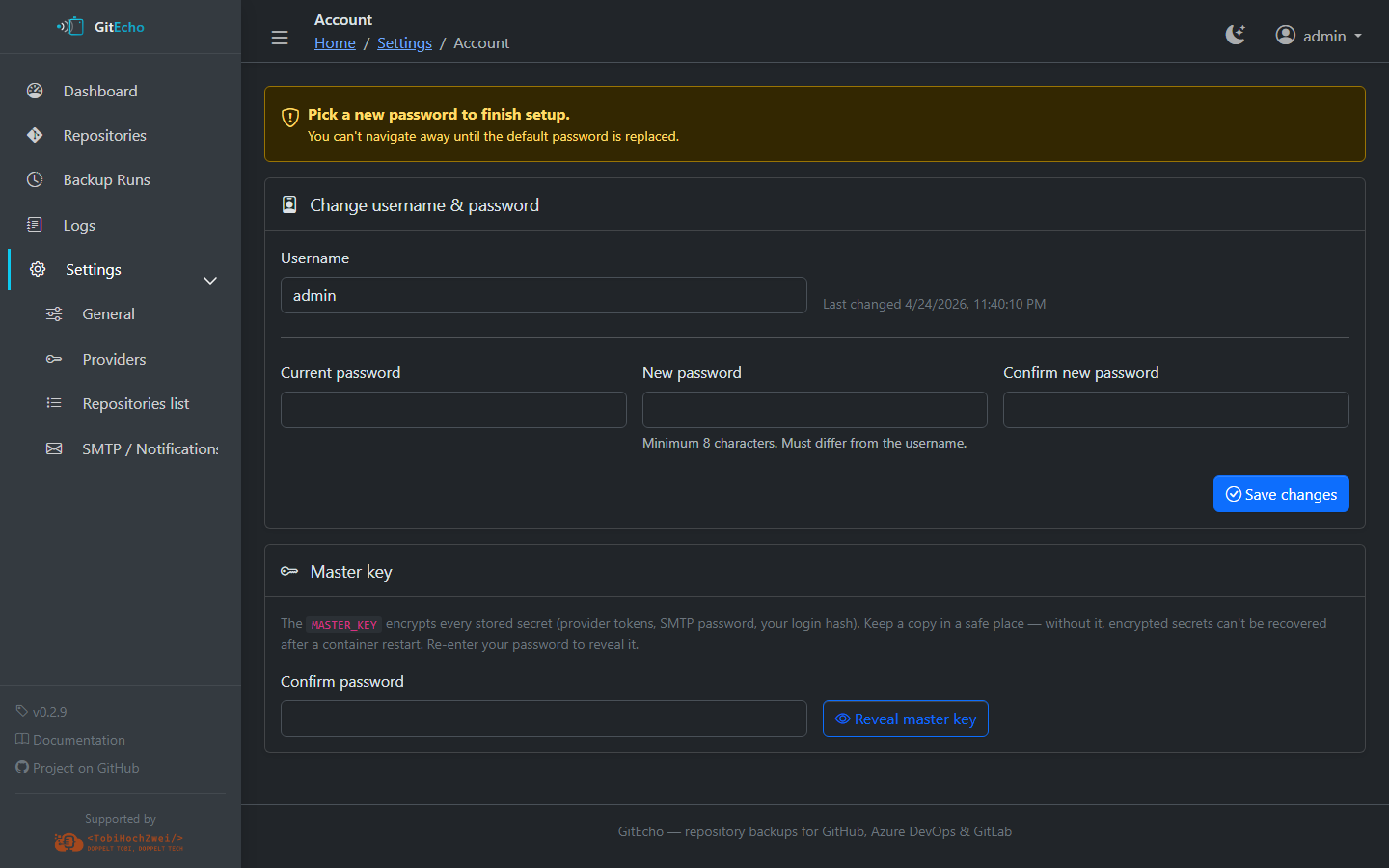
admin/admin - On first start, GitEcho bootstraps the admin account and forces a password change — you cannot navigate away until a new password is set (minimum 8 characters, different from the username)
- The bcrypt-hashed password is stored in the encrypted
/config/secrets.jsonvault, never in plaintext and never in environment variables
Sessions
- Cookie-based:
HttpOnly,SameSite=Strict,Secure(when served over HTTPS) - HMAC-signed with
MASTER_KEY - Sliding 7-day expiry
- Restarting the container invalidates all sessions
Password Reset
There is no email-based password reset. To recover access:
- Stop the container
- Delete the
ui.passwordHashentry from/config/secrets.json(or delete the entire file — this also removes stored PATs and SMTP password) - Restart the container — GitEcho re-bootstraps
admin/admin
Encryption
MASTER_KEY
The MASTER_KEY environment variable is the foundation of GitEcho's secrets management:
- Required — the container refuses to start without it
- Used to encrypt the admin password hash, provider PATs, and SMTP credentials at rest
- Must be 32 bytes (64 hex characters or base64-encoded)
- Generate with:
openssl rand -hex 32
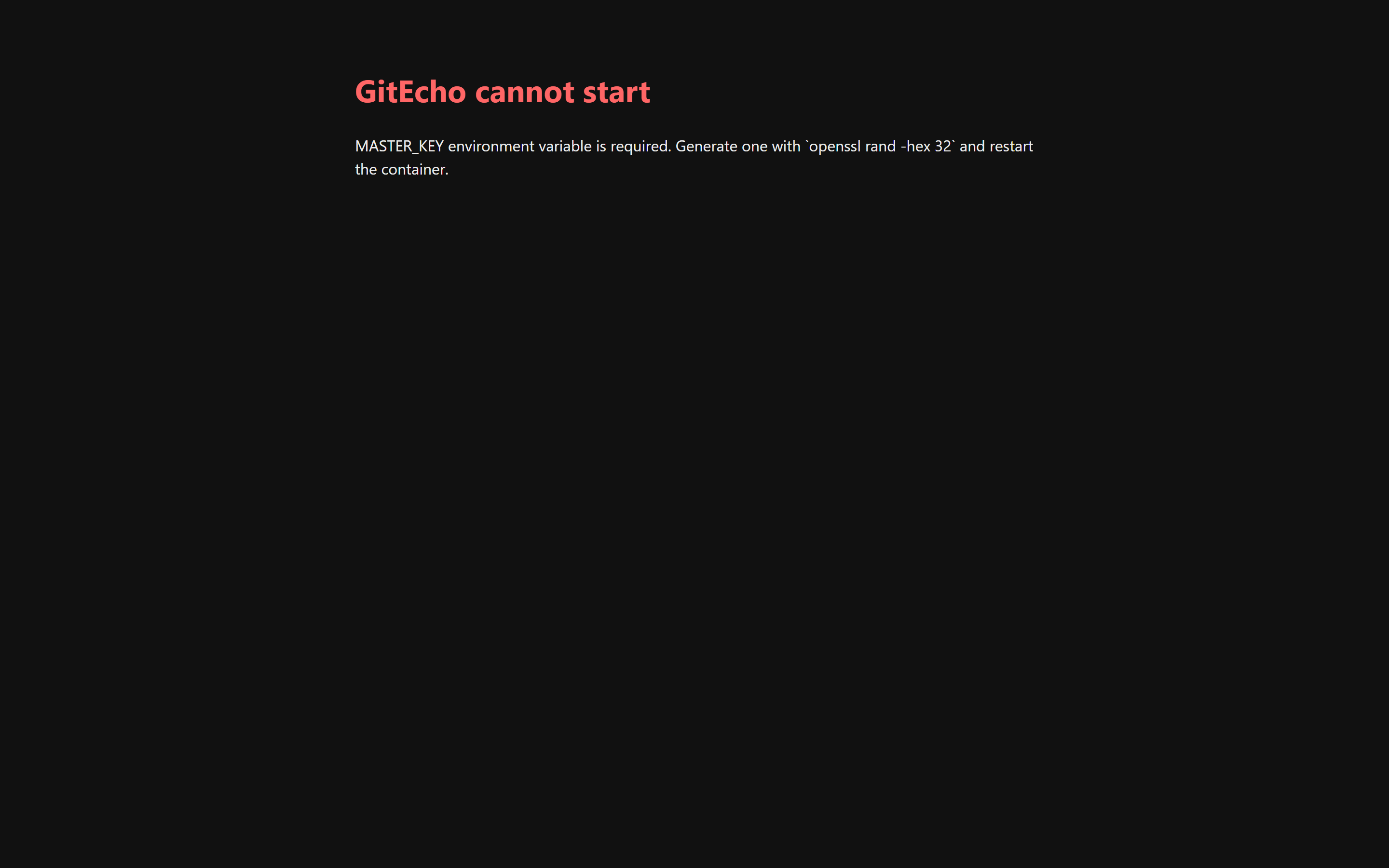
If MASTER_KEY is missing on boot, GitEcho refuses to serve any page and renders a 503 explaining what to do:
Back up your MASTER_KEY
Losing the MASTER_KEY means losing every credential stored via the UI (admin password included). Store it alongside your other secrets.
Secrets Storage
Sensitive data is stored in /config/secrets.json using AES-256-GCM encryption:
- Each secret has its own initialization vector (IV) and authentication tag
- The file contains
{iv, tag, ct}blobs — never plaintext values - File permissions are set to
0600
Non-secret settings (PAT expiration dates, SMTP host/port, cron schedule, etc.) are stored in plaintext in /config/settings.json.
CSRF Protection
GitEcho uses Origin-based CSRF protection for all state-changing requests:
- Requests whose
Originheader matches the container's internal host are always accepted - When behind a reverse proxy, set
PUBLIC_URLto your external URL(s) so the Origin check passes - Setting
PUBLIC_URL=*disables the Origin check entirely (accept all origins). This is not recommended — see SetPUBLIC_URLBehind a Proxy below.
Best Practices
Use a Reverse Proxy with TLS
Warning
Always put GitEcho behind a TLS-terminating reverse proxy when exposing it beyond localhost. The login form sends credentials over plain HTTP otherwise.
See the Reverse Proxy guide for configuration examples.
Set PUBLIC_URL Behind a Proxy
When running behind a reverse proxy that rewrites the host (Synology DSM portal, subdomains, etc.), set PUBLIC_URL to the external URL(s). Otherwise, add/remove/save actions from the UI may fail with 403 Forbidden.
As an escape hatch, PUBLIC_URL=* accepts all origins and disables the CSRF origin check. Prefer listing specific URLs — the wildcard lets any site the logged-in user visits drive state-changing requests while the session cookie is valid.
Pin Image Tags
Use specific version tags (e.g., ghcr.io/tobihochzwei/gitecho:0.2.1) instead of :latest so upgrades and rollbacks are deliberate.
Use Minimal PAT Scopes
Only grant the minimum scopes required for each provider. See the Providers section for the exact scopes needed.
Protect Mount Points
The /config volume contains the encrypted secrets file. Treat it with the same care as any credential store:
- Restrict host-level access to the Docker volumes
- Include
/configand/datain your off-host backup strategy