GitLab
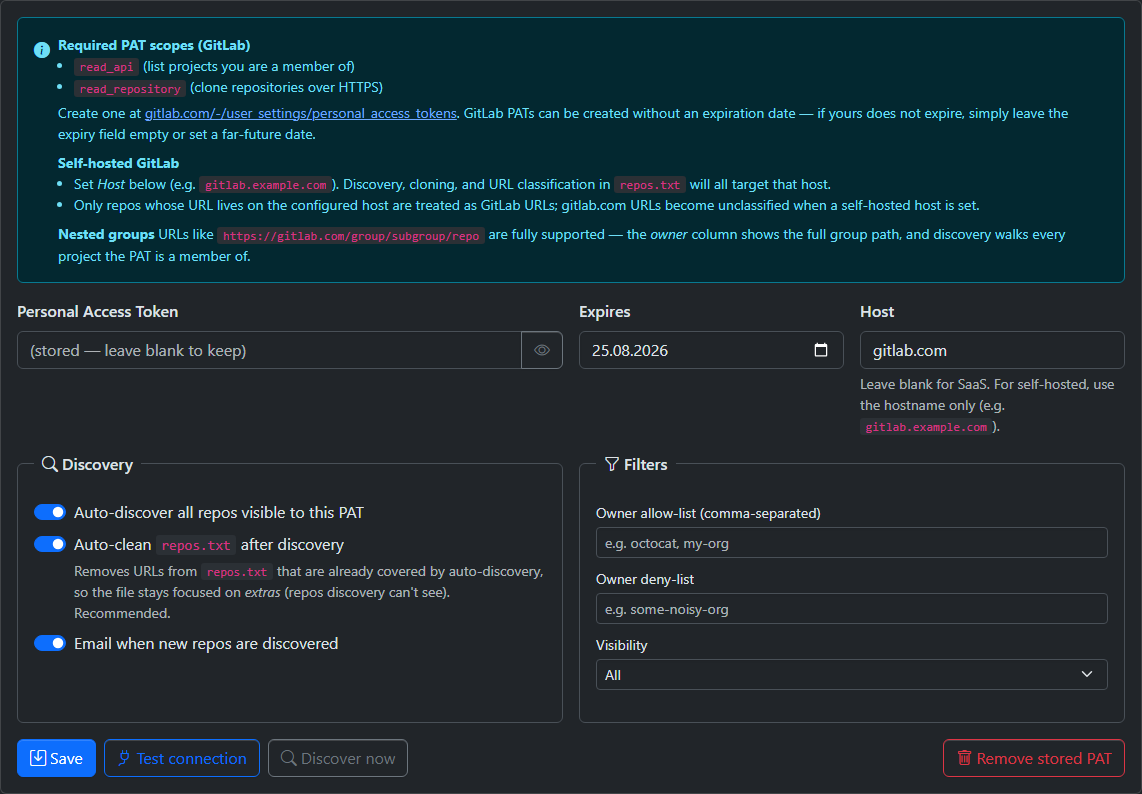
Creating the Token
GitEcho authenticates to GitLab with a Personal Access Token (PAT).
- Go to https://gitlab.com/-/user_settings/personal_access_tokens (self-hosted:
https://<your-host>/-/user_settings/personal_access_tokens). - Click Add new token, give it a name (e.g.
gitecho-backup), and optionally an expiration date (GitLab allows no-expiry tokens). -
Select these scopes:
read_api— list the projects the token is a member ofread_repository— clone over HTTPS
No write scopes are needed. 4. Click Create personal access token and copy the value (shown only once). 5. Paste it into Settings → Providers → GitLab in GitEcho. For self-hosted instances, also set the Host field (see below). Then click Test connection.
Required PAT Scopes
read_api— list projects the PAT is a member ofread_repository— clone over HTTPS
No write scopes are needed.
Create at: https://gitlab.com/-/user_settings/personal_access_tokens
For self-hosted instances: https://<your-host>/-/user_settings/personal_access_tokens
PAT Expiration
GitLab PATs can be created without an expiration date. If yours doesn't expire, leave the expiry field empty or set a far-future date. When an expiry is set, the same warning window controlled by PAT_EXPIRY_WARN_DAYS applies.
Self-Hosted GitLab
Set GITLAB_HOST (or the Host field on Settings → Providers) to the hostname only:
Discovery, cloning, and URL classification in repos.txt then target that host instead of gitlab.com.
Nested Groups
URLs of the form https://gitlab.com/group/subgroup/…/repo are fully supported:
- The owner column shows the full group path
- The on-disk backup path becomes
/backups/gitlab/<group>/<subgroup>…/<repo>
Auto-Discovery
The GitLab provider discovers all projects the PAT is a member of via:
Paginated, supporting up to 5,000 projects. Nested groups are walked automatically — the full namespace path becomes the repo's owner.
Configuration
Configure via Settings → Providers → GitLab:
- Enter your PAT
- Set the host (only for self-hosted instances, leave empty for gitlab.com)
- Set the expiration date (optional)
- Click Test connection to verify
- Optionally configure discovery filters