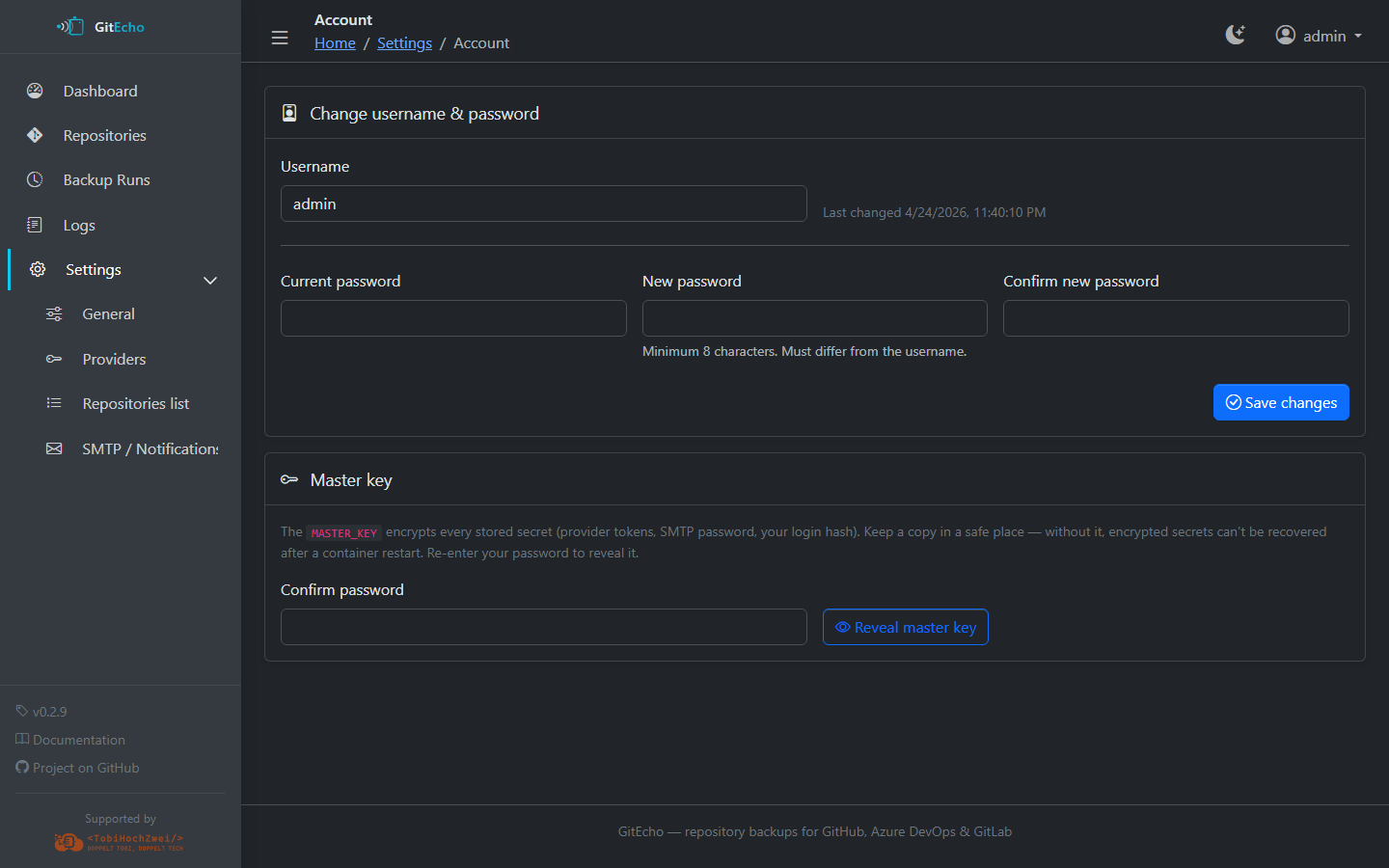
Settings UI
The Settings UI at /settings is the recommended way to configure GitEcho after the initial container setup. Changes are persisted to the /config volume and take effect without restarting (except cron schedule changes, which require a worker restart).
Repositories (/settings/repos)
A database-first view of every repository GitEcho backs up:
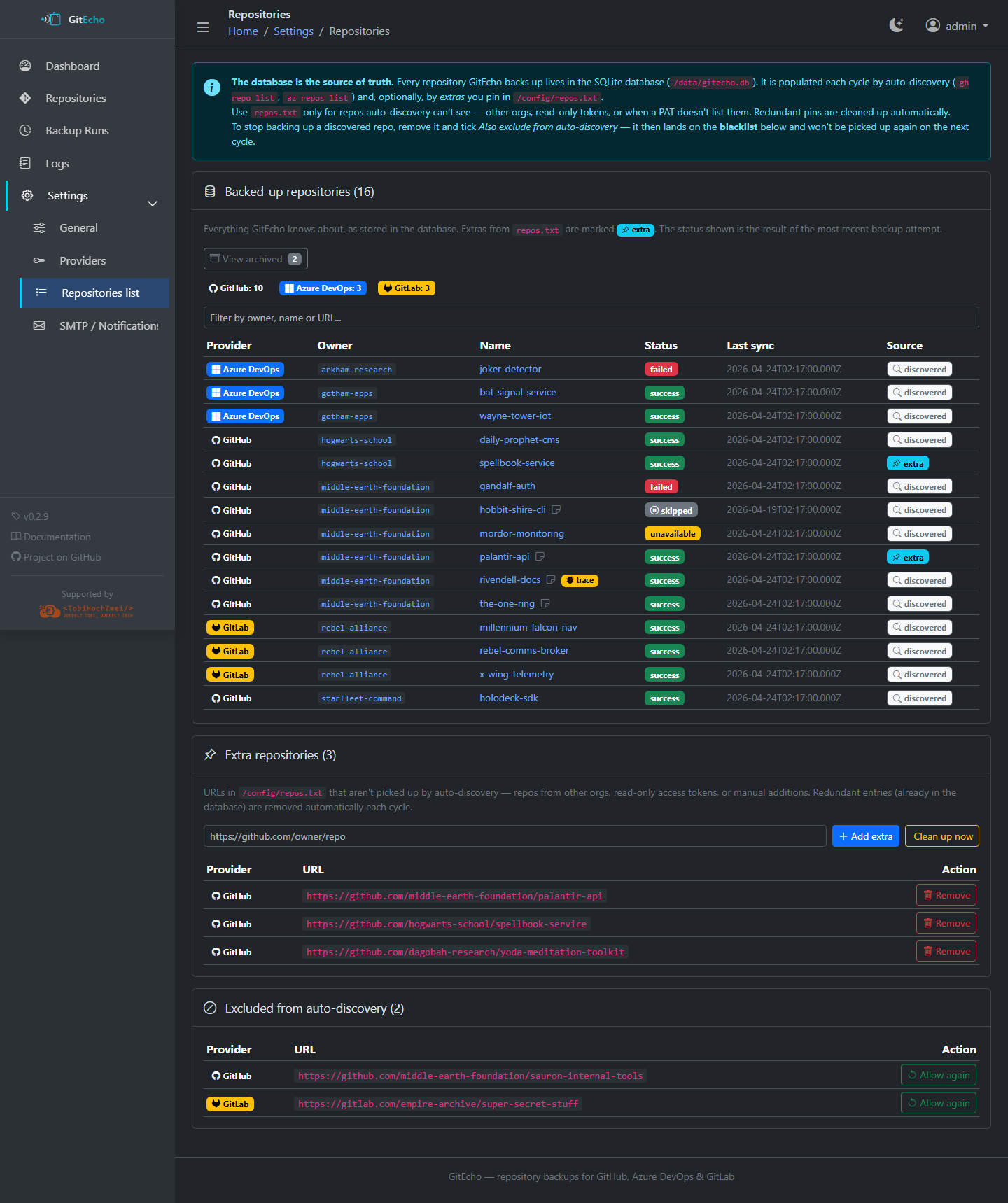
- Filter the list with the provider buttons (All / GitHub / Azure DevOps / GitLab) and/or the free-text search box (matches owner, name, or URL). The two filters combine.
- Source badge:
discovered(found via auto-discovery) orextra(pinned inrepos.txt) - Add/remove repository URLs
- Select & bulk-delete — tick the checkbox on one or more rows (or the header checkbox to select every visible row) and use Delete selection. The trash icon at the end of each row deletes that single entry.
- Delete entries without backups — removes every repository that has no successful backup yet (handy for clearing out repos that were discovered but never produced a usable backup).
- Redundant
repos.txtentries that are already in the DB are cleaned up automatically each cycle (configurable under Providers)
Deleting is permanent
Deleting a repository here removes its database entry and its local backup files, and adds its URL to the provider blacklist so auto-discovery won't surface it again. This cannot be undone. To keep a repo's backups but stop syncing it, open the repository detail page and use Exclude from future backups or Archive instead.
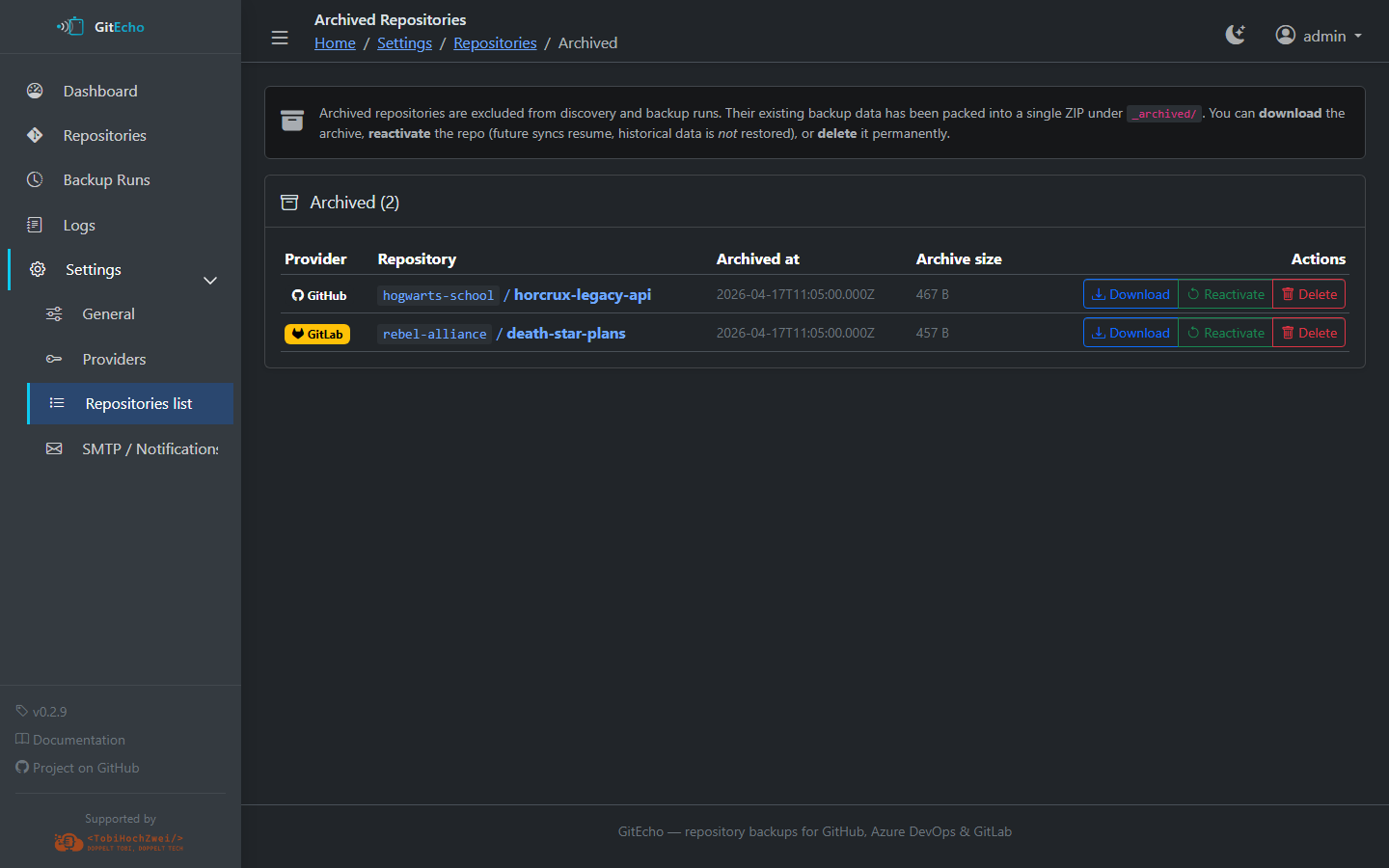
Archived repositories live on a dedicated tab so they can be reviewed or unarchived later:
Repository Detail (/settings/repos/<id>)
Per-repository management page:
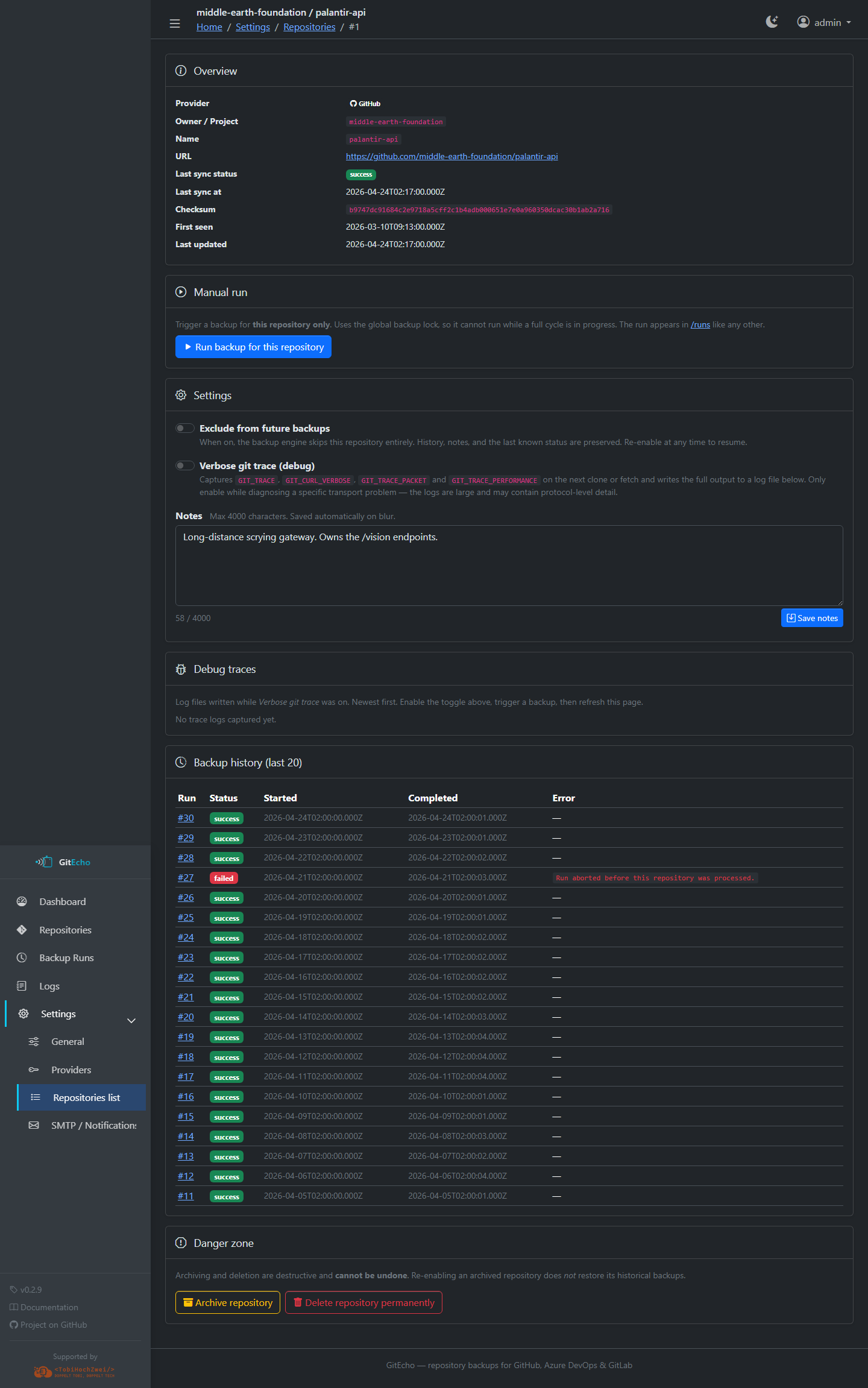
- Current status, last error, and last sync time
- Notes — free-text field (up to 4,000 characters) for documenting the repo
- Exclude from future backups — skips the repo without deleting its history or data
- Verbose git trace (debug) — captures full
GIT_TRACE/GIT_CURL_VERBOSEoutput on the next clone or fetch for troubleshooting - Debug traces — download captured trace logs
- Last 20 backup attempts with run details
- Danger Zone — archive (reversible, keeps backups under
/backups/_archived/) or delete (irreversible). See Troubleshooting › Archiving vs. deleting.
Providers (/settings/providers)
Configure and manage provider connections:
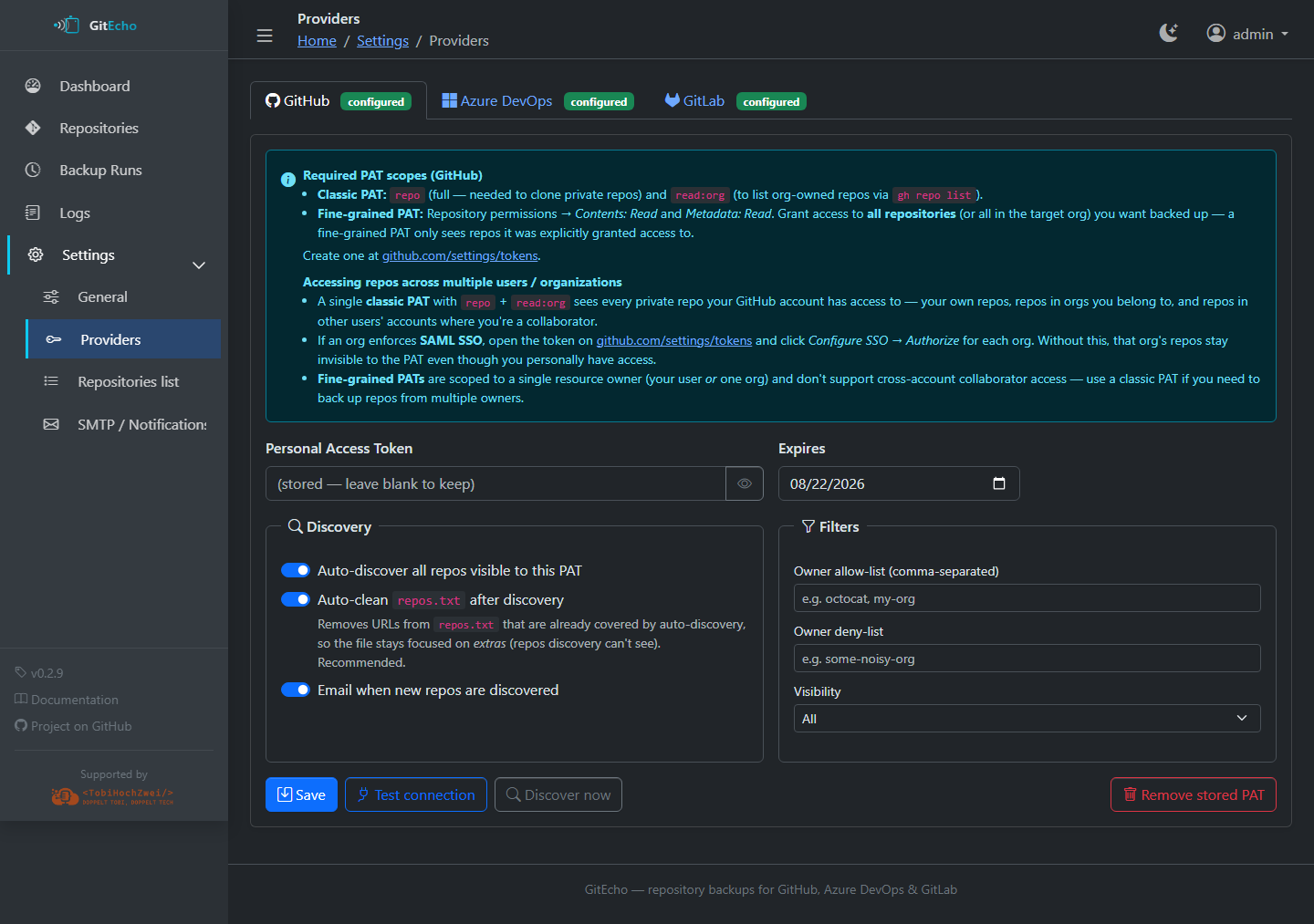
- PAT management — set or rotate tokens with inline scope guidance
- Test connection — one-click verification (
gh auth status,az devops project list, or GitLab API) - PAT expiration date — GitEcho warns before expiry via email
- Auto-discovery toggle — enable/disable per provider
- Filters:
- Owner/org allow-list and deny-list (case-insensitive, comma-separated)
- Visibility filter: All / Public only / Private only
- Blacklist repos so auto-discovery never picks them up
- Auto-clean repos.txt — removes entries already in the DB (default: on)
- New repo discovery email — optional notification when new repos are found
See the per-provider pages — GitHub, Azure DevOps, GitLab — for required scopes.
SMTP (/settings/smtp)
Configure email notifications:
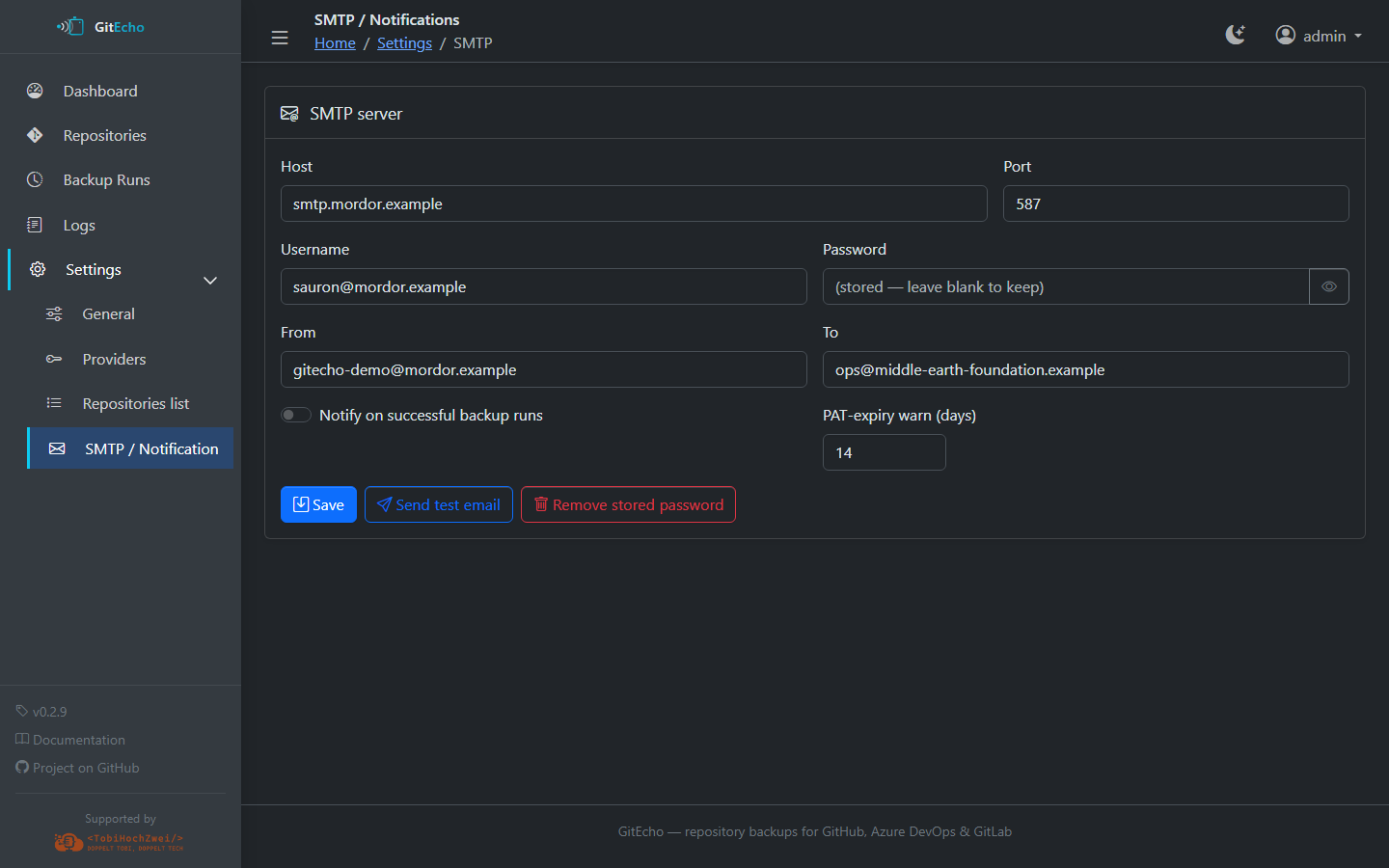
- SMTP credentials — host, port, username, password, from address, to address
- Send test email — verify your SMTP setup
- Notify on success — optionally send a summary after successful backups
- PAT expiry warning — configure how many days before expiration to start alerting
General (/settings/general)
Core backup settings:
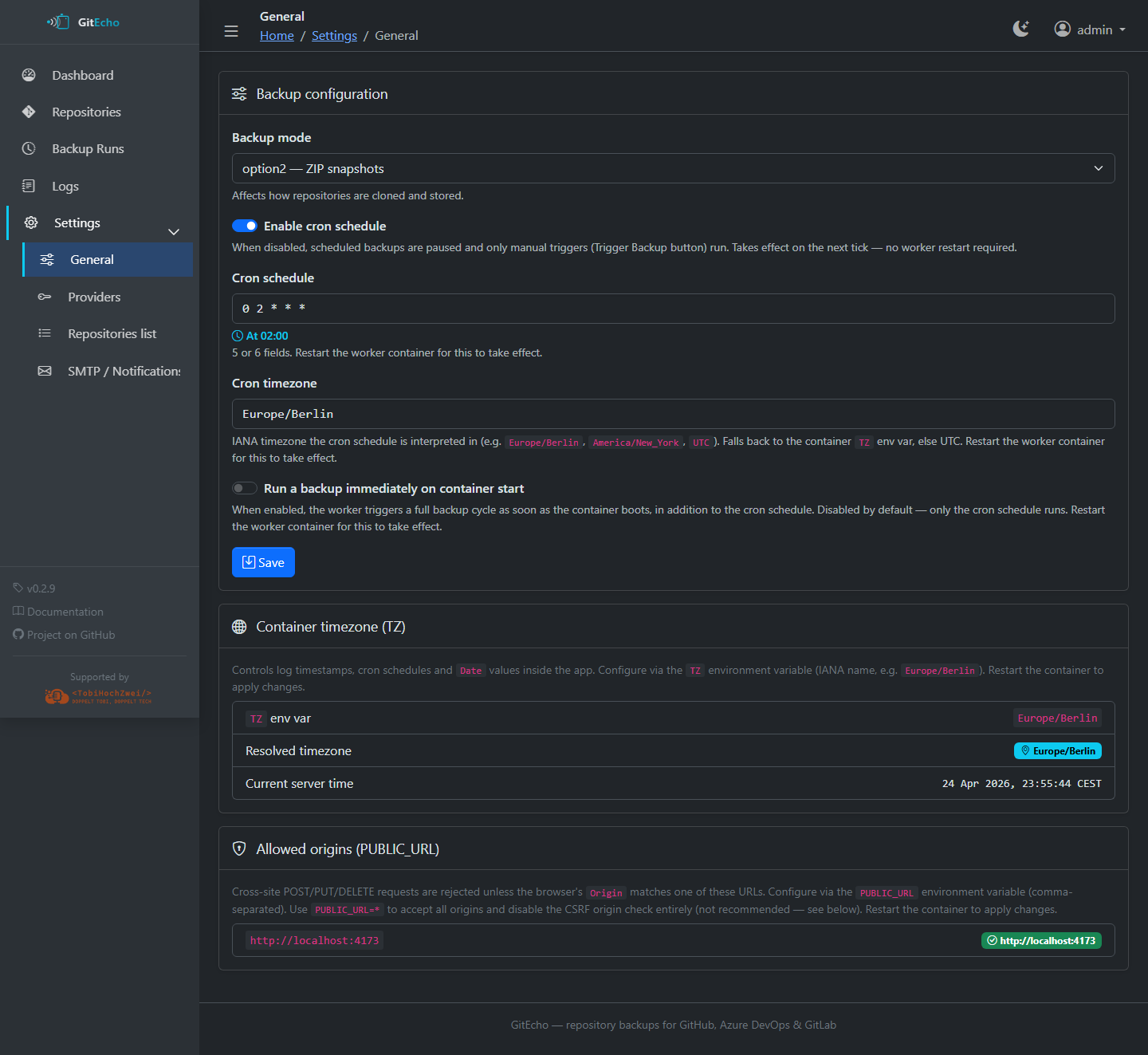
- Backup mode — switch between option1, option2, and option3
- Cron schedule — edit the backup timing (requires worker restart to take effect)
- Run backup — trigger an ad-hoc backup immediately (disabled while a backup is in progress)
- Snapshot retention — tiered (grandfather-father-son) pruning for timestamped
artifacts: TFVC snapshots, option3 ZIP snapshots and option2 ZIP archives. Three
numeric tiers: Daily (keep all snapshots newer than N days), Monthly (keep the
newest snapshot in each of the most recent N months that contain snapshots), and
Yearly (keep the newest per year for N such years). A snapshot survives if it
matches any tier. The most recent snapshot per repository is always kept, and
option1 git working trees and the option3 git mirror are never touched. Leave all
three at
0to disable pruning (keep everything — the default). Pruning runs at the end of every backup cycle, including manual runs — even a single-repository manual backup performs a global sweep across all repositories. Reducing these values deletes more snapshots on the next run and cannot be undone.
File lock coordination
The web server and worker share a filesystem lock at /data/.backup.lock, so manual triggers and scheduled runs never overlap.
Account (/settings/account)
- Change the admin password (minimum 8 characters, must differ from the username)